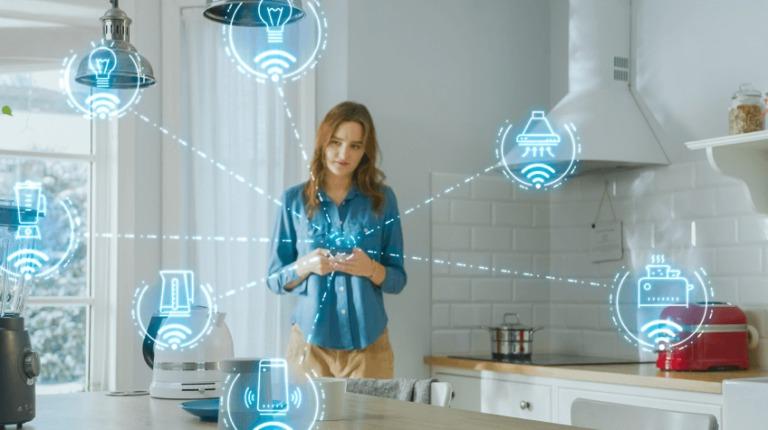
How to Control Your Lights with IoT: A Smart Home Revolution
Transform Your Home with Smart IoT Lighting Control
Are you tired of walking across your home just to turn lights on and off? Smart IoT lighting control transforms how you interact with your home lighting system. This comprehensive guide shows you how to automate your lights and create the perfect ambiance with just a tap on your smartphone.
What Makes IoT Lighting Different?
IoT-enabled lights connect directly to your home network, allowing you to:
- Control lights from anywhere using your smartphone
- Set automated schedules for energy savings
- Integrate with voice assistants like Alexa and Google Home
- Create custom scenes for different activities
- Monitor energy usage in real-time
Getting Started with Smart Lighting
1. Choose Your Smart Bulbs
- Philips Hue: Premium quality with extensive features
- LIFX: Bright colors without requiring a hub
- Wyze: Budget-friendly with good reliability
- TP-Link Kasa: Easy setup process
2. Set Up Your Hub
Most smart lighting systems require a central hub that:
- Connects to your WiFi router
- Communicates with individual bulbs
- Manages automation schedules
- Enables remote control features
3. Install the Mobile App
Download your chosen system’s app to:
- Control individual lights
- Group lights by room
- Create custom scenes
- Set up automation rules
Advanced Features to Explore
Motion Sensors
Add motion sensors to automatically:
- Turn on lights when you enter a room
- Dim lights in unused spaces
- Illuminate pathways at night
Smart Schedules
Create schedules that:
- Match your daily routine
- Adjust for sunrise and sunset
- Save energy while you’re away
- Simulate occupancy during vacation
Voice Control Integration
Connect your lights to:
- Amazon Alexa
- Google Assistant
- Apple HomeKit
- Samsung SmartThings
Energy Savings and Benefits
Smart lighting reduces energy consumption through:
- Automatic shutoff when rooms are empty
- Dimming capabilities
- Usage monitoring
- Efficient LED technology
Security Advantages
IoT lighting enhances home security by:
- Creating a lived-in appearance when away
- Triggering lights with motion detection
- Integrating with security cameras
- Enabling remote monitoring
Troubleshooting Common Issues
Connection Problems
- Reset the hub
- Check WiFi signal strength
- Update firmware regularly
- Verify bulb compatibility
App Issues
- Clear app cache
- Reinstall if necessary
- Check for updates
- Contact support for persistent problems
Future of IoT Lighting
Smart lighting continues to evolve with:
- Enhanced color options
- Better energy efficiency
- Improved automation features
- Stronger security protocols
Conclusion
IoT lighting control brings convenience, security, and energy efficiency to your home. Start with a few basic bulbs and expand your system as needed. The initial investment quickly pays off through reduced energy bills and enhanced home functionality.
FAQs
- How much can I save on energy bills?
- Smart lighting typically reduces lighting energy costs by 25–35% through efficient scheduling and automation.
- Do I need technical expertise to install IoT lighting?
- No, most systems offer simple setup processes suitable for beginners.
- Can I control lights when away from home?
- Yes, remote control is available through smartphone apps with internet connection.
- Will IoT lights work if the internet goes down?
- Basic on/off functions usually continue working through direct wireless connections.
- Are IoT lights secure from hacking?
- Choose reputable brands that offer regular security updates and strong encryption.